
Install and test Dusklight v1.4.1 with your own valid game data before adding any mod, texture pack, control override, or experimental setting. Back up saves and configuration, add one change at a time, and record what you changed.
The project supports texture replacement and customization, but compatibility can change across releases. A pack that worked with an older Dusk or Dusklight build may need an update. Never assume a crash proves the official program is broken until the same scene is tested without third-party files.
Evaluate Dusklight mods by what they change: visual assets, settings, controls, or application behavior. Check the source, license, supported release, installation path, removal steps, and known conflicts before adding anything. A useful mod description should make those boundaries clear; an archive that hides its contents or claims to include commercial game data should not be part of the test.
Document each Dusklight mods test with the application version, graphics backend, pack version, affected folder, and result. After finding a failing change, restore the clean baseline and add only confirmed compatible files. This record prevents an old texture cache, abandoned setting, or duplicate pack from returning during the next update.
- Current release
- v1.4.1
- Built-in capability
- Texture replacement
- Best practice
- One change at a time
- Required backup
- Saves and settings
- Game assets
- Not redistributed
- Recovery baseline
- Clean official build
Build a clean Dusklight baseline first
A baseline means the current official application, a verified supported game dump, a preferred graphics backend, working input, and no third-party files. Play far enough to test menus, a representative gameplay scene, saving, loading, and the controls you care about. Record the version and backend.
This baseline gives you something to compare after customization. Without it, a damaged dump, driver problem, old configuration, and incompatible texture pack can all look like the same random crash. Keep the clean folder or a reproducible method for restoring it.
- Install the current official releaseUse verified TwilitRealm assets and the correct platform architecture.
- Verify your game dataConfirm the supported GameCube dump works without modifications.
- Test graphics and inputUse a preferred backend and complete a short representative session.
- Back up user dataCopy saves and configuration to a clearly dated backup.
- Record the baselineNote version, platform, backend, and any required device-specific setting.
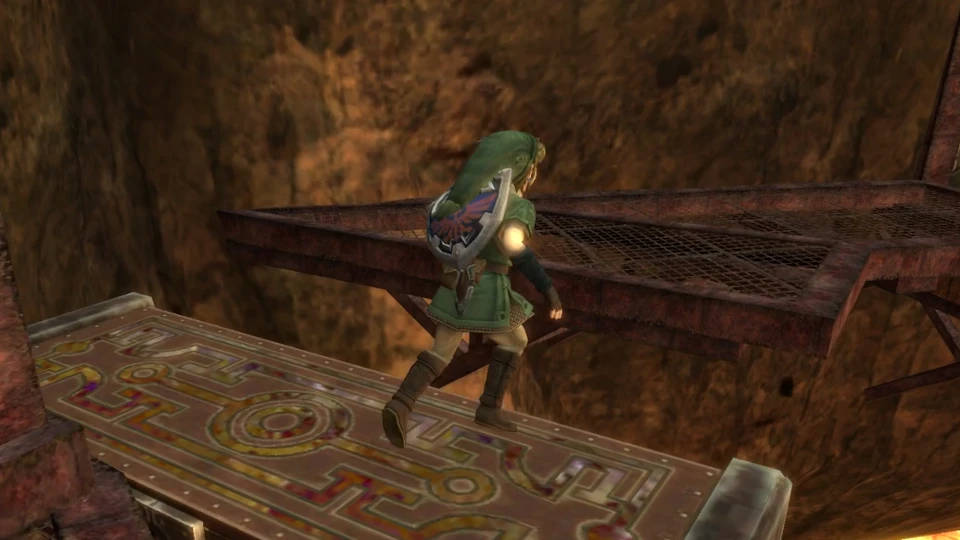
Add texture replacements carefully
Texture replacement changes how matching game resources are presented without turning the official application into a package containing copyrighted game assets. Use packs whose source, license, supported version, and installation instructions are clear. Do not redistribute extracted Nintendo textures merely because a modding tool can load them.
Version 1.4.1 fixed texture replacement regressions introduced in v1.4.0, including load ordering and missing interface textures. That makes version checking especially important when a guide or pack was written during the v1.4.0 window. Update the application first, then test the pack by itself.
- Read the pack's supported Dusklight version and platform notes.
- Keep downloaded archives separate from the active installation.
- Install only the files the pack documents.
- Test menus and interface textures as well as gameplay scenes.
- Remove the pack completely when comparing against a clean baseline.
- Respect the pack license and do not redistribute copyrighted source assets.
Tune graphics, controls, and presentation one variable at a time
Settings changes can deliver much of the value players seek from a mod without adding third-party files. Adjust rendering backend, resolution, aspect behavior, input mapping, touch controls, or other project options in small steps. Test a repeatable scene after each meaningful change.
The fastest-looking setting is not always the most stable. On a phone, higher rendering cost can trigger heat and throttling. On a laptop or Steam Deck, power profiles can change sustained performance. On Windows, driver and GPU differences can affect D3D12 and Vulkan differently. Keep notes so you can restore the last working combination.
| Change | What to test | Rollback signal |
|---|---|---|
| Graphics backend | Launch, menus, representative scenes | New artifacts, crash, or missing textures |
| Resolution or visual enhancement | Frame pacing and sustained heat | Performance degrades over time |
| Controller mapping | Menus, camera, action combinations | Duplicate or missing inputs |
| Touch layout | Hawkeye, Clawshot, menus | Actions cannot be reached reliably |
| Texture replacement | UI and multiple gameplay areas | Missing or misordered textures |
Recover from a broken Dusklight mod setup
Do not begin by deleting everything. Preserve the broken setup long enough to inspect it, then create a separate clean v1.4.1 folder or restore your known baseline. If the clean copy works with the same game dump, the difference is likely configuration or a third-party file rather than the dump itself.
Reintroduce changes individually. A binary search approach works when many files were added: test half the set, then narrow the problem group. Keep saves separate from disposable mod files and verify their backup before any uninstall or profile reset.
- Copy saves and settings before cleanup.
- Test a separate clean official release folder.
- Use the same verified game dump for comparison.
- Remove texture packs and overrides completely, not partially.
- Re-add one pack or setting group at a time.
- Report reproducible clean-release bugs to the official project with version and platform details.
Dusklight mods FAQ
Does Dusklight support texture packs?
The project supports texture replacement, and v1.4.1 specifically fixed texture replacement regressions from v1.4.0. Individual packs still need compatible files and clear instructions.
Where can I download Dusklight mods?
Use sources whose author, license, version support, and file contents are clear. This site does not mirror community packs or endorse anonymous bundles. Official project channels and established community discussions are better starting points than repack sites.
Can I use old Dusk mods with Dusklight?
Not automatically. The rename refers to the same evolving project, but internal behavior and mod compatibility can change across versions. Check the pack documentation and test against a clean current build.
Why are interface textures missing?
Update to v1.4.1 or newer because v1.4.1 fixed missing UI texture and load-order regressions introduced in v1.4.0. If the issue remains, disable the texture pack and compare with a clean baseline.
Will mods damage my save?
Any modification or configuration change can create risk, especially across updates. Keep dated backups of saves and settings before testing a pack, and do not store the only backup inside the active installation folder.
Are 60 FPS mods officially supported?
Keyword searches and community discussions mention 60 FPS, but the official sources checked for this guide do not provide a universal 60 FPS compatibility promise. Treat any such change as version- and scene-dependent and verify its source.
Sources checked July 29, 2026: official Dusklight website, official installation guide and TwilitRealm GitHub repository.